Announcing CircleMe User Meet-ups in Rome and Paris!

If you follow this blog, you’ll know that some months ago, we organized two great CircleMe users’ meetups. The first one took place near our offices in London, whereas the second took place in our HQ in Milan. As these were great fun and we really enjoyed meeting our users, we’ve decided to organize two more CircleMe users’ meetups in two beautiful cities: Rome and Paris!

First CircleMe meetup in London

Rome

You can read all about the Rome meet-up here!

When we organised the meet-up in Milan, we realised that many of our users in Rome would have loved to attend, but it was too far 😦 So, we decided to organize a meet-up for them too! The meet-up in Rome will take place on the 9th of July. Are you interestested? Please email elena@cascaad.com to get the address of the place where we’ll be meeting!

Paris

After the UK and Italy, France will be the third destination for our CircleMe meet-up! And having one of our biggest communities in France, we’re sure it will be a great success! This meet-up will take place in Paris on the 18th of July, 6:00 pm at:

19, avenue Victoria 75001 Paris
métro Châtelet (sortie Théâtre du Châtelet)

Why do we organise these meet-ups?

When we work on improving CircleMe, we don’t think about numbers: We work hard to create something great for people like you. For this reason, getting to know our real users is very important to us: We want to learn how you think we could improve CircleMe, but also get to know who our users are, which means that we might end up talking about anything like music, sports, politics… or anything you are passionate about! Obviously, there is no fee to attend the meet-up or anything like that! In fact, the earlier you join us, the more likely we’ll treat you to a drink 😉

If you are near Rome and Paris during those dates, please join us! It will be real fun!!

The CircleMe team is hiring!

That’s right! The CircleMe team is looking for no less than 3 talented individuals to join the CircleMe team as we work hard to make CircleMe more awesome! Would you like to be part of this growing team? Don’t hesitate to apply!

The open positions:

Web Front-End Engineer

Unsurprisingly, CircleMe is not built magically but it requires a lot of talent, passion and hard work! We are looking for a talented web front-end engineer to evolve our CircleMe web application. If it sounds like the right challenge for you, get ready to enjoy “la bella Start-up vita” in CircleMe’s headquarters in Milano, Italy. We work 100% in English, so no need to worry about speaking Italian! (Besides “Café”, “Birra”, “Bistecca” and so on 😉

Find more about this position here

This position is based in Milan, Italy

Summer Marketing Intern

What could be better than interning for a cool and growing Social Network that connects people to the things they care about? Join the CircleMe team in our cool offices in London’s TechHub, in Google Campus, where you’ll gain working experience in Social Media, email marketing and more!

Find more about this position here

This position is based in London, UK

Junior Content Manager

People love collecting and discovering new likes on CircleMe, but hey! It takes a lot of time and dedication to make sure the content on our site is up to the standard our users deserve when they collect and discover. If you’re passionate about content and would love to help us enchant our users with great content, this sounds like the right position for you!

Find more about this position here

This position is based in Milan, Italy

And do not forget that you can always find all our job opportunities here

You can now invite your Twitter friends on CircleMe!

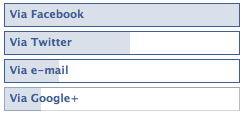
Back in March we asked you on our Facebook page how you preferred to invite your friends to join you on new sites like CircleMe. Well, Twitter was the second most popular result just behind invites via Facebook and ahead of invites via email.

Result of CircleMe Poll on how to invite friends

Well, that’s right! Although just days ago we released the option to find and invite  your Yahoo! Mail contacts on CircleMe, we’ve worked hard on it and from today, you can also invite your Twitter friends to join CircleMe!

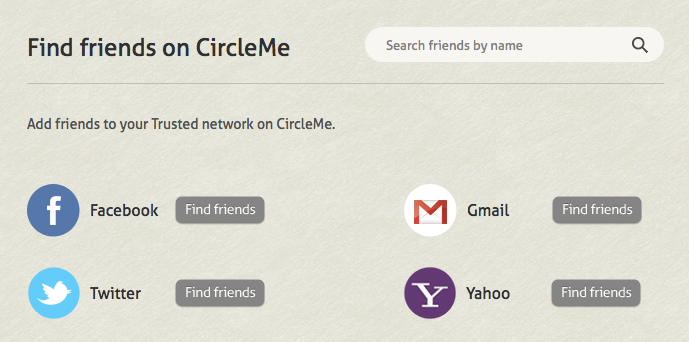
Finding Twitter friends on CircleMe

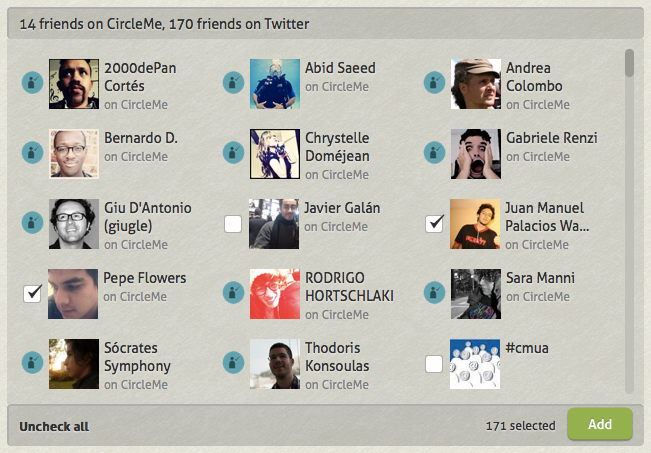
To find this new option, you simply have to go to the “Find people” page. Once you click on Find friends for Twitter, you’ll see a screen where you can select the contacts you want to send the invite to.

Selecting Twitter friends on CircleMe

Once you select the friends you want to add, then you simply have to click on Add. Then you’ll be requested access from Twitter for our Twitter app to send the invites… and voilà! You’ve sent the invites to your friends!

We hope you find this useful! And if there is a service that you think we should add to CircleMe to find and invite new friends, do not hesitate to let us know!

Introducing the CircleMe iPhone app

We’ve been talking about our new iPhone app on the blog, Twitter and Facebook pages. However, you might be wondering what it looks like, and more importantly, what’s so cool about it 😉 We’re writing this blog entry to introduce you to the CircleMe iPhone app!

The CircleMe app doesn’t only extend the CircleMe experience onto your mobile, but also allows for some pretty cool uses in real life. It also comes with a unique feature called ‘planting’ that we think will change the way you use CircleMe. If you haven’t downlaoded it yet, you can now by clicking below:

Ok, got your iPhones ready? Here we go!

CircleMe app on iOS

First Steps

As you open the CircleMe app, some screens will quickly explain how to use the CircleMe app. Then, you will be able to log in with your account or create a new one if you’re new to CircleMe (and if so, welcome!)

The Activity Feed

Right, ready to start circling? When you arrive at your activity page you will see the CircleMe activities, which is the equivalent of the Activities section on the web version. Here you will see activities related to the things you like, as well as those related to your friends.
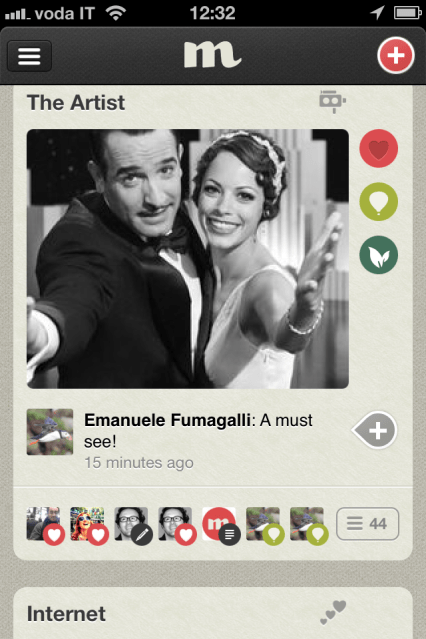
CircleMe App – Activity feed

Navigation

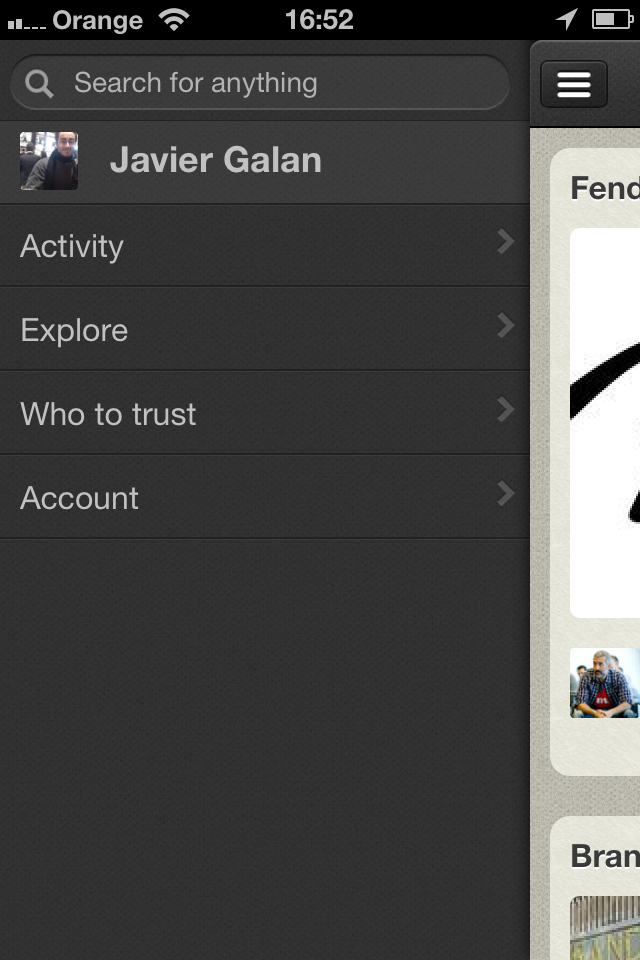
If you want to go to any other section, you simply have to tap on the three horizontal lines on the top left corner and the Menu will appear:

CircleMe App – Menu

CircleMe Profiles

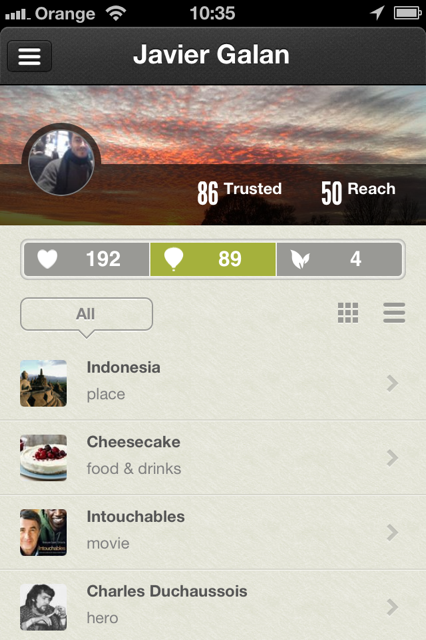
But you will be wondering how your beautiful CircleMe profile looks like on the iPhone, right? Well, we worked hard to make your profile as beautiful on iPhone as on the web version, and this is how it looks:
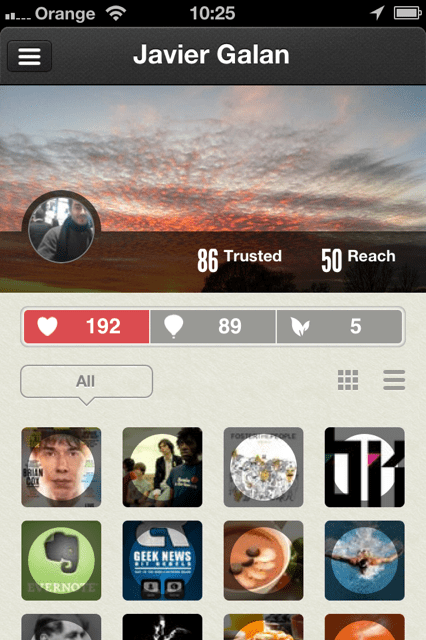
CircleMe App – Profile View

Yes, the images can be a bit small and become a bit tough to identify the likes that you (or others) added, which is the reason why we added the possibility to change the view so that it is easier to identify the likes.
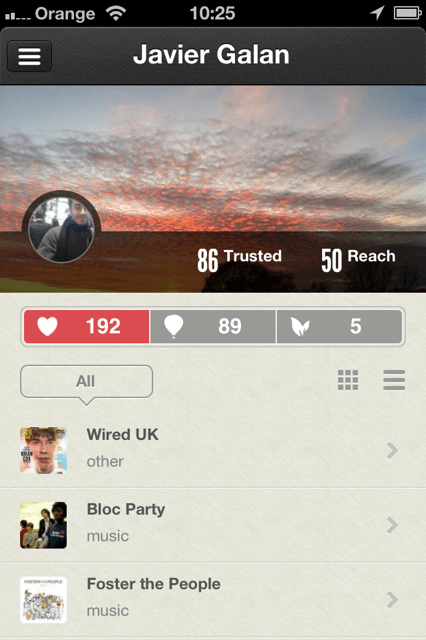
CircleMe App – Profile View 2

Taking CircleMe into the real life : – )

Now, imagine what this would allow you to do… You know those times when you’ve been in a bookshop… and in front of sooo many things to chose, you just couldn’t remember what was that book you wanted to buy? Well, now with the CircleMe app, you can just bring up your phone, check your To Do’s, and voila!

Using the CircleMe app in the bookstore

You can obviously use this for many other things such as films, songs, etc. Or on a lazy Sunday where you’re wondering what you could do, you could check the many things you wanted to do when you didn’t have time but that you then added as To Do’s on CircleMe.

CircleMe App – To Do’s

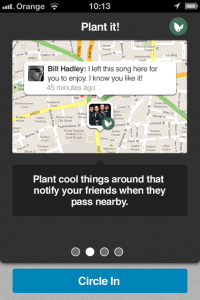
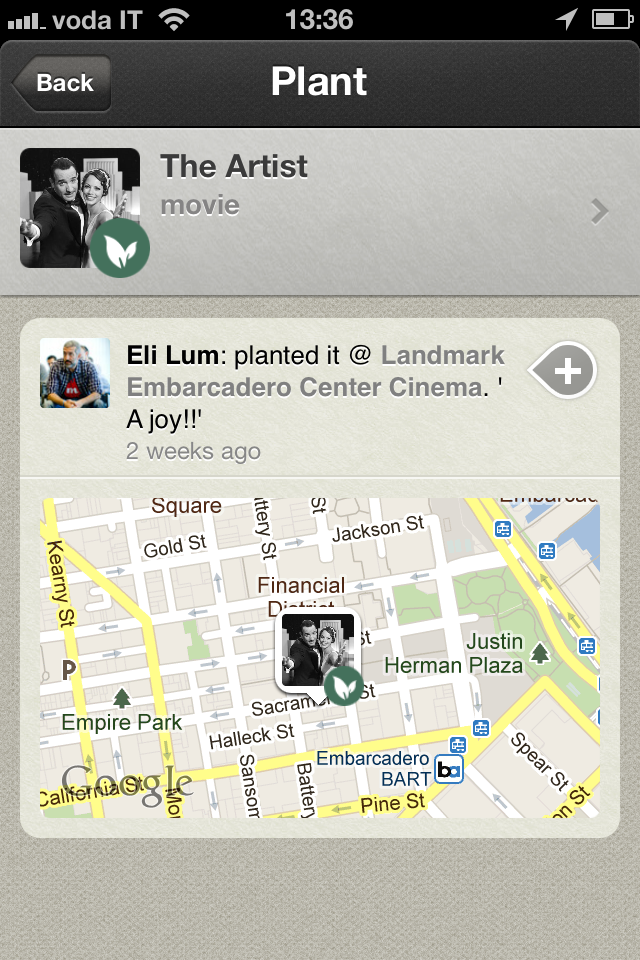
Neat, isn’t it? But there is something we think is even cooler than that: What if you wanted to mark items on a map? Yes, we call it “Planting”.

Planting

Why on earth would you want that? Well, you might like pancakes, but what if you had some great pancakes in a cafeteria and you wanted to tell the world about it? You could also leave a comment with the plant such as  “Here you’ll find the best pancakes in London!”. You can think of many ways you could use these “plants”, for instance, you could plant your favorite romantic song on a very romantic spot for your partner to find 😉
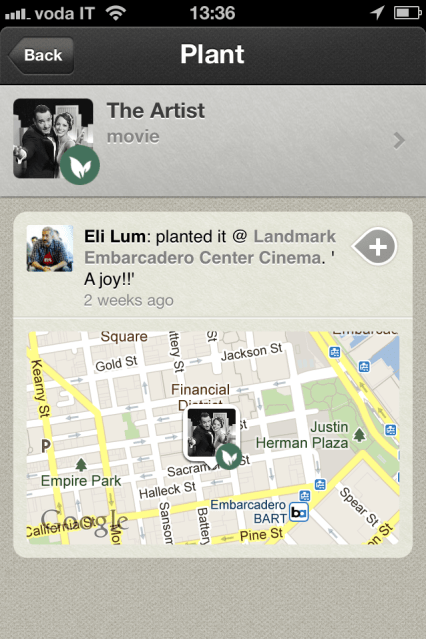
iPhone App – Planting

Also, wouldn’t it be cool if you could discover new items as you walk around town? If you like pancakes, wouldn’t it be great if you could be alerted if someone had marked a pancake on the map? Yes, this too is possible with the CircleMe app and the planting feature.

CircleMe App – Explore

Exploring

But there is more to the CircleMe app: you can find new likes in the explore section, whereas on the web version, you will find the trending, most popular and featured likes.
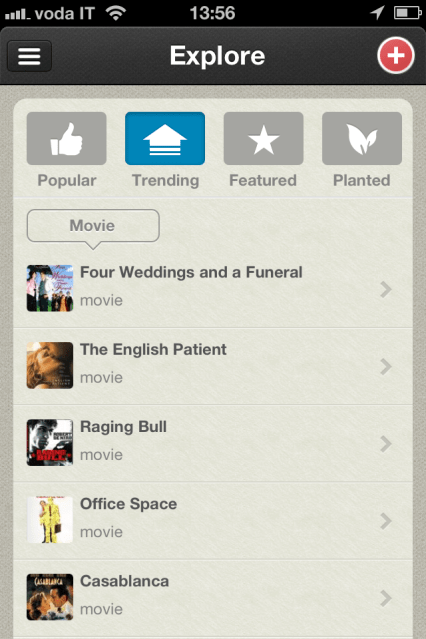
CircleMe App – Explore

Inviting and finding friends on CircleMe

You will also be able to invite your friends from within the app, by clicking on the ‘Who to Trust’ section.
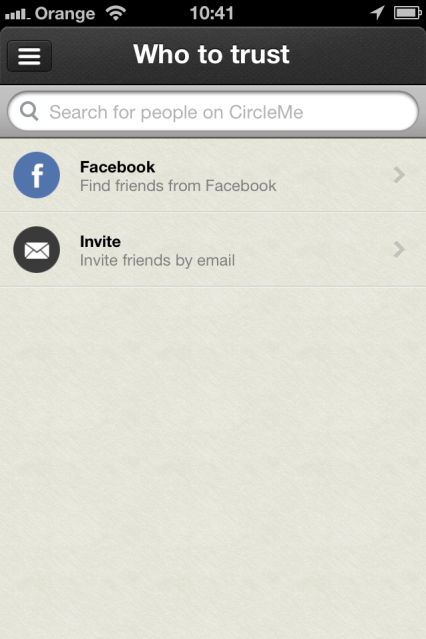
CircleMe App – Who to Trust

Account Settings and Privacy

Finally, you will be able to modify your account settings as well as your privacy settings from the ‘Account’ section.
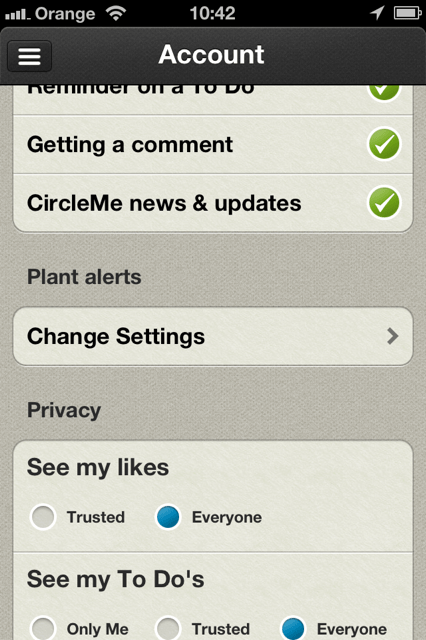
CircleMe App – Account settings

We hope you enjoy the CircleMe app and if you have any feedback or questions, as per usual, do not hesitate to let us know! You can comment on this blog or find us on Facebook or Twitter

Announcing comments on all activities and the detailed Reach Score

As you might have noticed, lately we have been rather quiet when it comes to new features. The reason for this is that we were working hard on a couple of new features that we think will change the way you use CircleMe (and make it much more Social and Fun!). We tell you about these two new features below:

Comments on all actions

Have you ever wanted to comment on a story shared on CircleMe or maybe when a friend added a new like you wanted to write something like “I didn’t expect that from you”? If you ever wanted to, then you will know that it was not possible, and perhaps you found it even a bit frustrating, right? Well, from today, this will not be a problem as we have launched the ability to comment on all activities on CircleMe. And yes, that includes adding likes or to dos, trusting CircleMe users, adding photos… even upvoting stories!

Now you can comment on all CircleMe activities!

We believe this will make CircleMe much more social and fun, don’t you think?

Detailed Reach Score

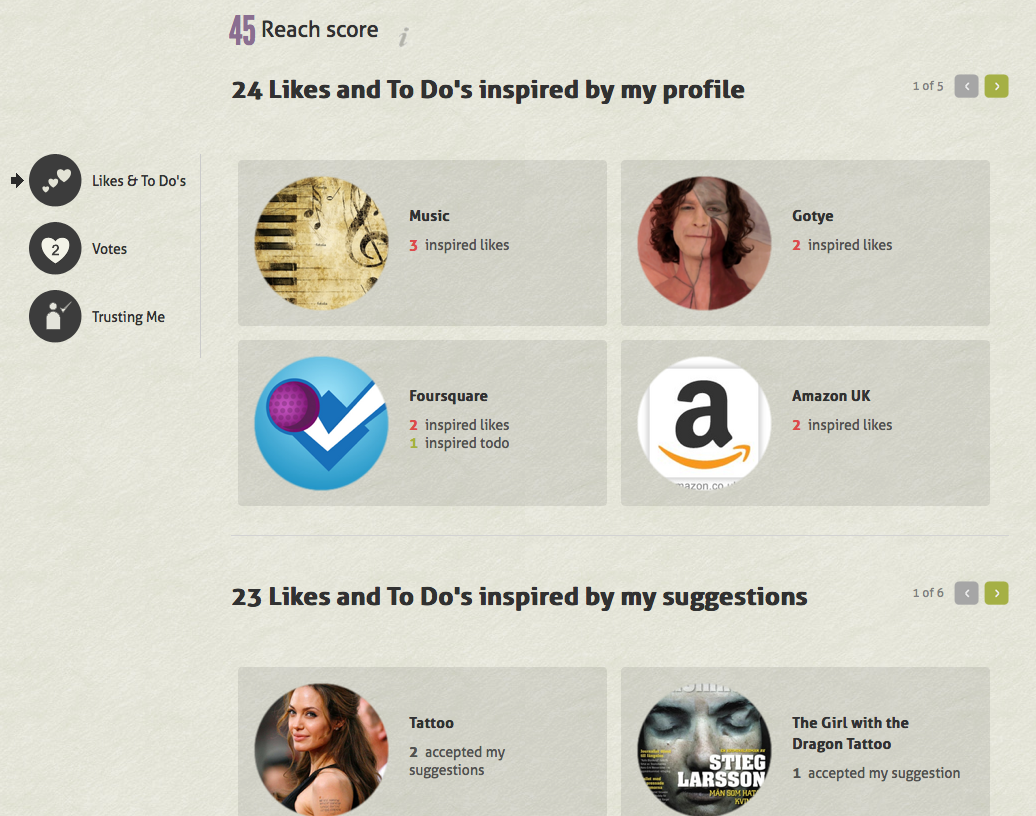
As you might know, we recently released the CircleMe Reach Score. Until today, the Reach Score allowed you to find out which categories you were the most influential in and how many people trusted you. From today, you will also be able to find out exactly what likes and To Do’s were influenced by your profile and also by your suggestions.

And that’s not all! You can even find out how many votes your views and stories received. In the new reach score, you will also find a list of all those CircleMe users who trust your tastes!

You will find the new Reach Score section by clicking on your Reach Score number on your profile

You will then have to click on View Details (this section can only be seen in your own Reach Score!)

Alternatively you can find the new Reach Score page from the Account section

We hope you enjoy these new changes. As you can see, CircleMe is becoming much more social and fun! As usual, if you have any comments, suggestions… do not hesitate to get in touch with us by replying on this blog entry, finding us on Twitter, Facebook or write directly to us at info@circleme.com

It was a Cold, Cool CircleMe weekend!

Whilst most of Europe was busy keeping themselves warm, updating their statuses to complain about how cold it was, or what was most likely, doing both at the same time, the CircleMe Team got together in the beautiful little Italian town of Alba to work on making CircleMe better.

The CircleMe team gets together in the beautiful little town of Alba

 What? How?… Why?!

Right, let us explain: We promised we’d be working hard to bring many improvements to CircleMe, right? And February is a short month, right? So when we tried to fit all these improvements into the month of February, we felt like the result of a 1 + 1 sum didn’t quite reach 2. Thus, we decided to create some working days out of the blue (also known as a weekend).

As we had decided to transform a weekend into a working weekend, we thought we’d find a lovely place where the international and remote-working CircleMe team could get together, work hard and also have a great time.

We were demanding: Our destination would need to have great food, wine, and stunning views! (and this is what we got!)

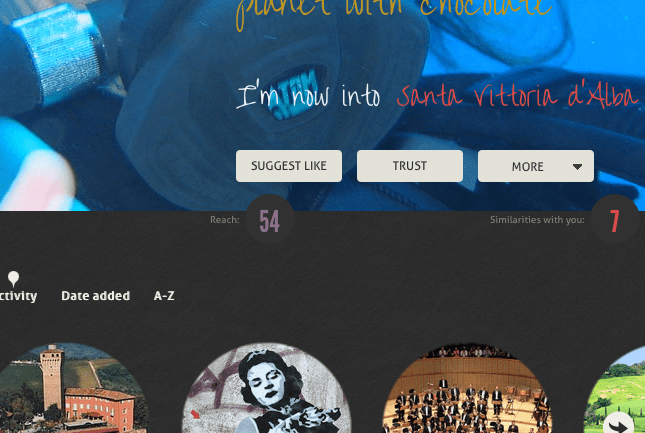
When it came to deciding our destination, we had it extremely easy: As we recently released the Reach Score, it could only be fair that the CircleMe team member with the highest Reach Score should decide our destination, and so we trusted Elena. She pinned a place on the map and soon we would be en route to the beautiful little town of Santa Vittoria d’Alba.

Elena’s “54” Score Reach was a reason to trust her decision

Soon after arriving, we found ourselves already working hard on improvements to CircleMe, and discussing how we can improve the site.

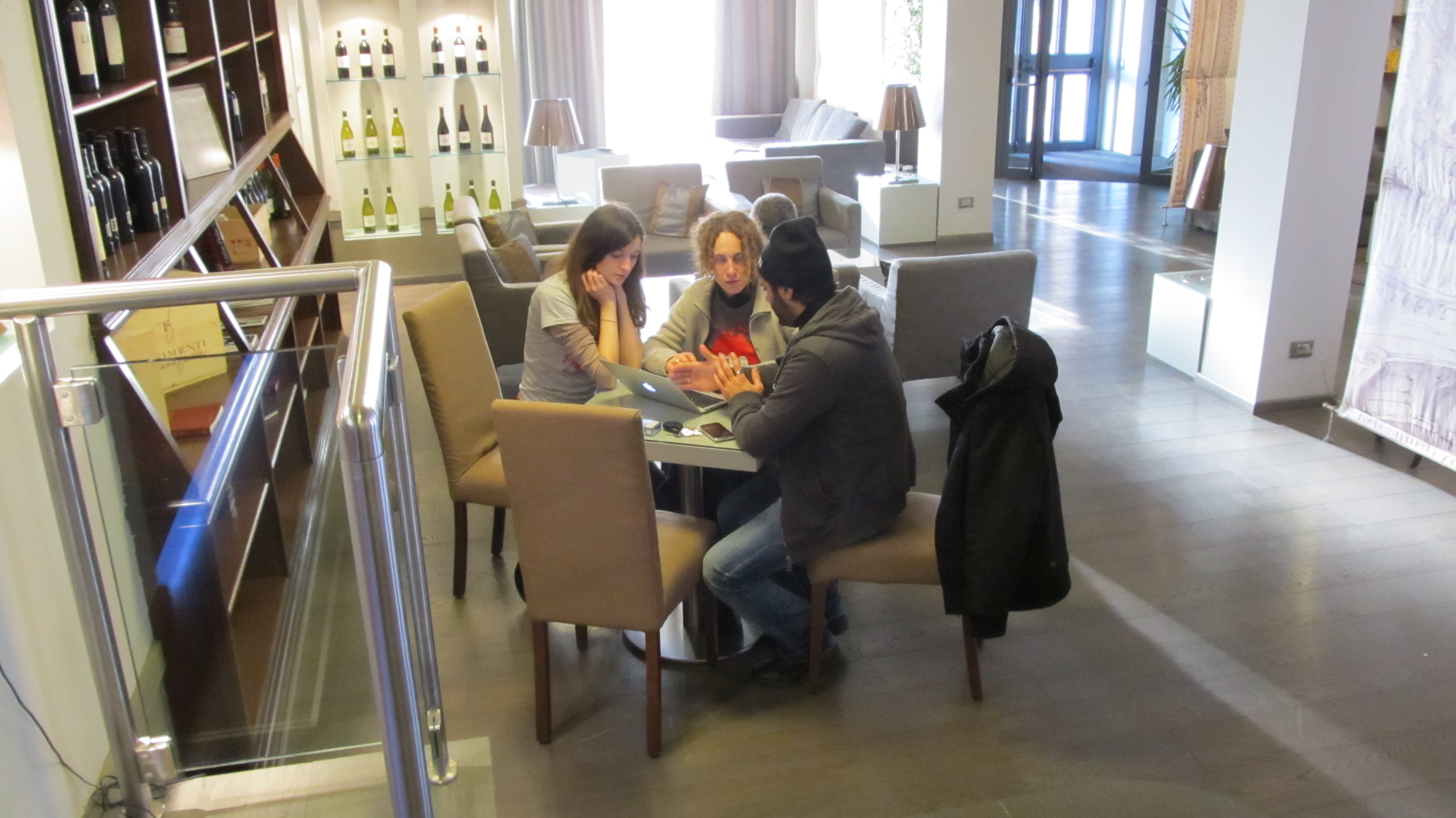
Erik, Andrea and Antonio discuss technical improvements to our platform

Adina, Elena and Antonio discuss how to ensure the quality of CircleMe content is up to the standards our users deserve

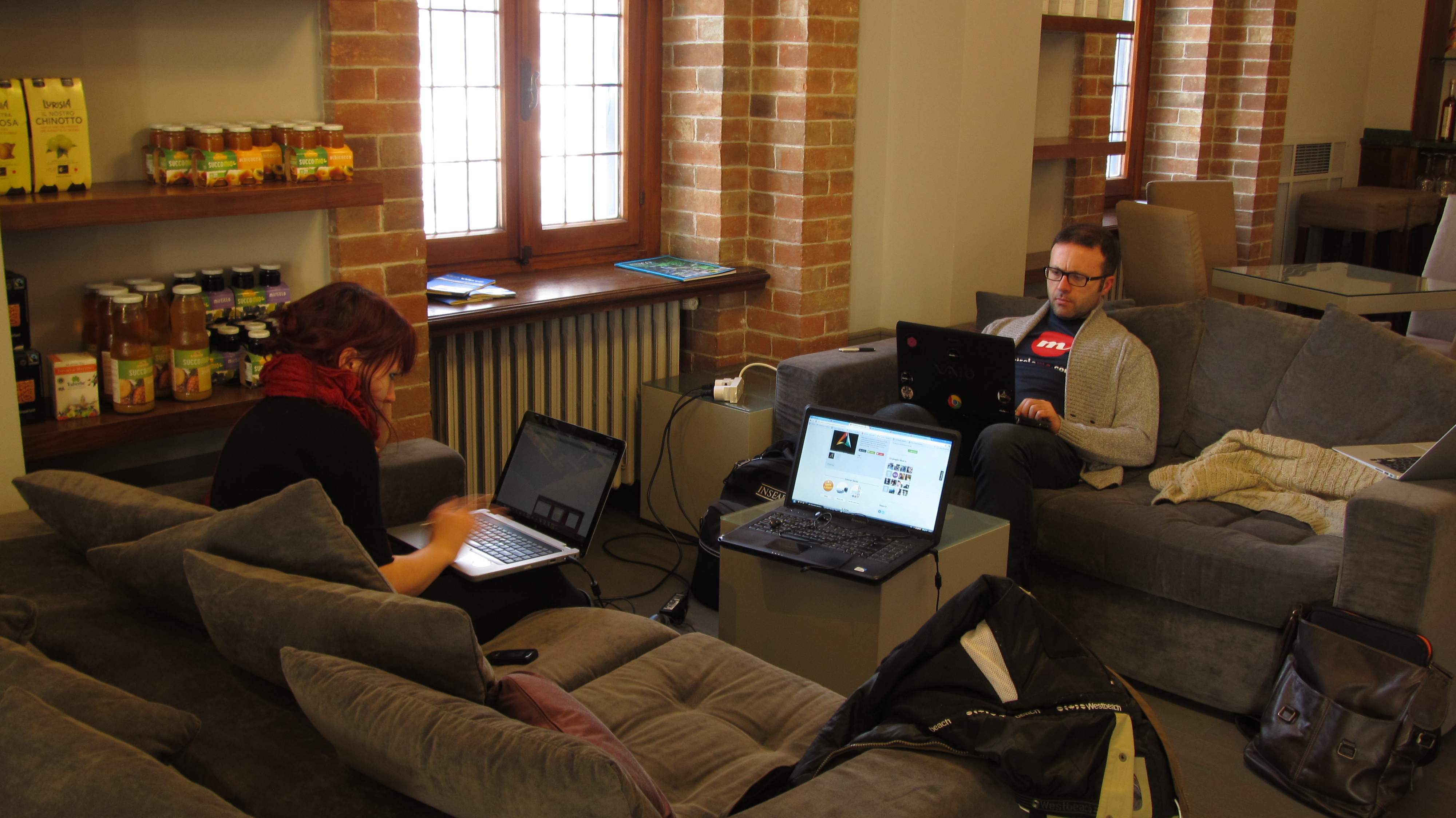
Simina and Giuseppe work whilst trying to resist the temptation of eating all the great looking local food displayed on the wall

But it wasn’t only about working! This trip gave us a chance to get to know our colleagues better and have a great time together. In fact, since Alba is an area known for its great wine and food, well… we had no choice but to investigate those! Our verdict? Plenty of likes added on CircleMe!

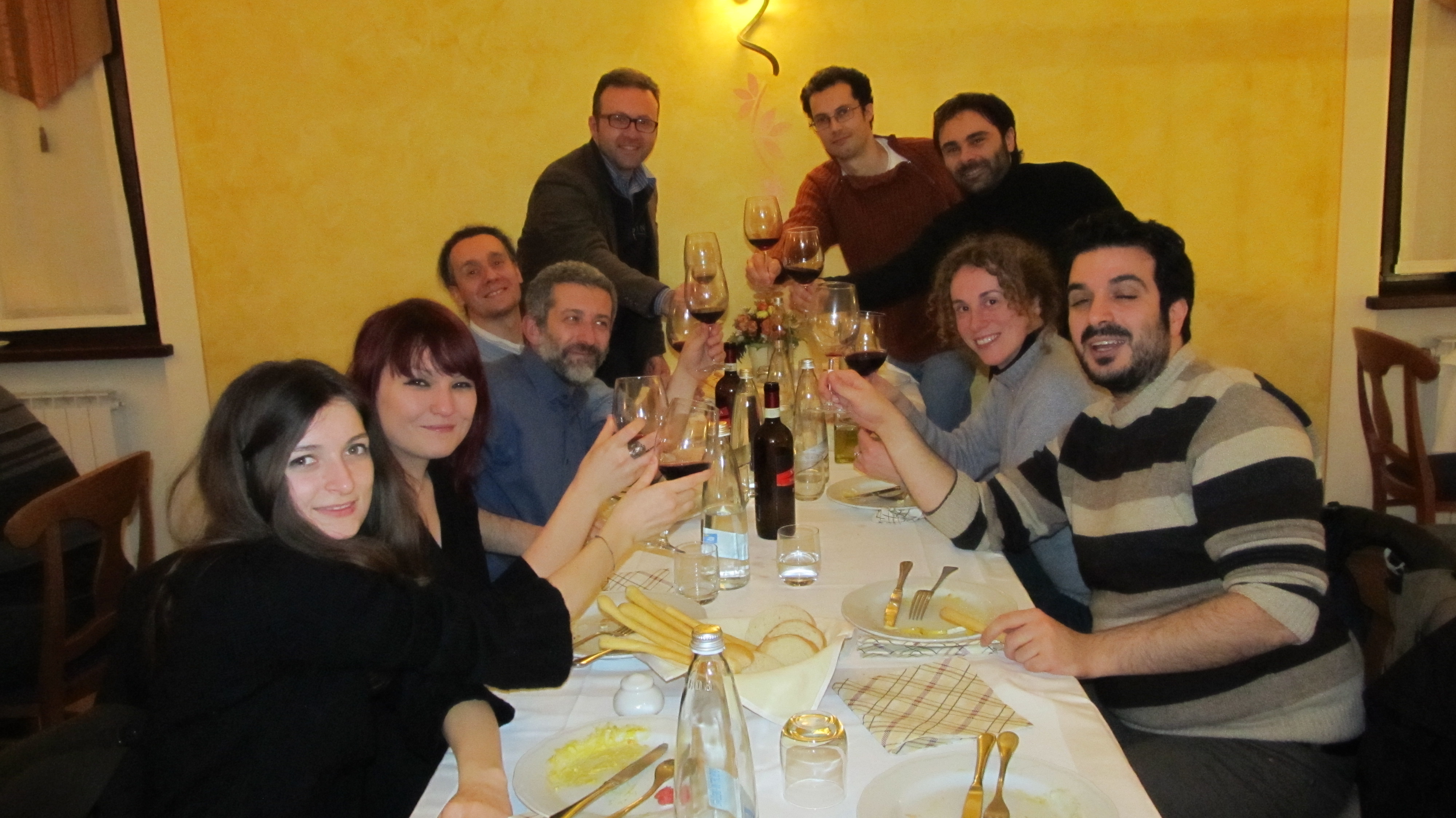
A big toast to CircleMe users! (From left to right: Adina, Simina, Erik, Andrea, Giuseppe, Emanuele,Antonio, Elena and Gabriele)

Overall, we feel it was a great Cool, Cold CircleMe Weekend: Not only was it a great opportunity to advance on some of the improvements we want to bring you in February and March, but also allowed us to get people from different teams together to discuss how to make CircleMe better for you.

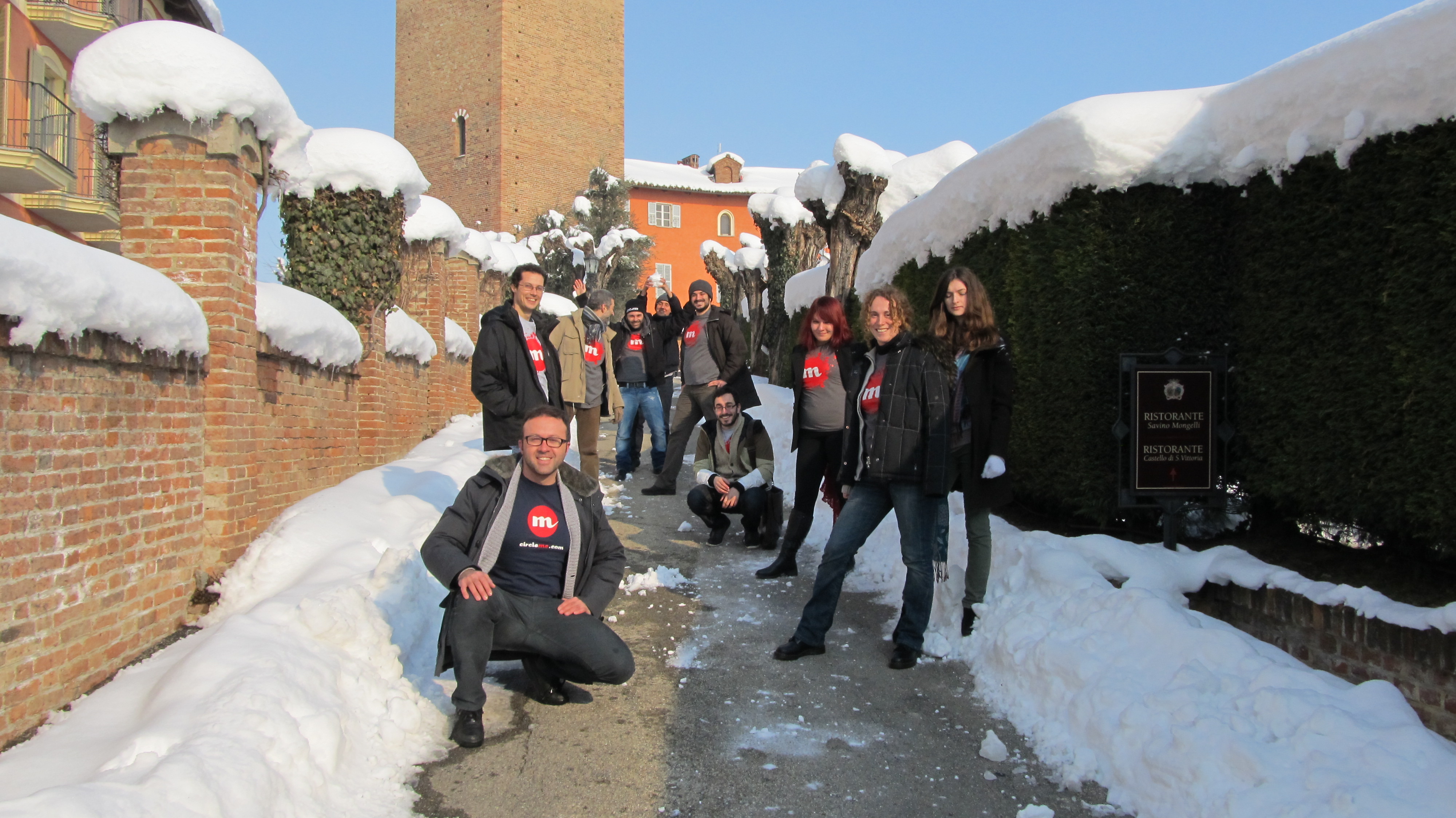
We say “Stay tuned for our announcements of improvements to CircleMe”, you say “Watch out Anto for that snow ball!”

We hope you enjoyed getting to know the CircleMe team. As we promised, we’re working hard on making CircleMe better and we want you to be part of it. So please stay tuned for new CircleMe improvements and do not hesitate to help us share ideas and feedback on how you think we could improve CircleMe!

Javier Galan
CircleMe Marketing Manager

Finding who to trust on CircleMe

It’s Tuesday and that deserves an update with the changes on CircleMe: The CircleMe team has been working on some back-end improvements and other features we’re looking forward to announce as soon as they are ready, but there is a change on CircleMe you will notice. This is the creation of a new section on the CircleMe navigation bar: “Who to trust”.

As we announced last week on our blog, we moved the Neighbors section from the “me” page to the “Find Friends page”, where you could find Facebook or Gmail friends who are on CircleMe (or invite them if they are not on CircleMe yet!). You can also invite friends via email.

Since we know that this is very important in order to provide a great CircleMe user experience we decided to create a new section for it that can be found from the CircleMe navigation page: the “Who to trust” page. At the same time, we moved the Activity Board icon closer to the “Me” button.

This is what the new ‘Who to trust’ page looks like:

We hope this change improves your CircleMe experience and helps you find people to Trust on CircleMe!

Santa brought an Activity Board to CircleMe

Hi CircleMe’rs!

We hope you enjoyed a very merry Christmas! Here at CircleMe we had a great time and we even received a new CircleMe feature from Santa that we are very excited to share with you all: The CircleMe Activity Board.

Why an Activity Board? Until now, on Circleme there wasn’t a place where you could find all of your friends’ activities: what your friends are liking, the stories they are sharing on CircleMe…  Furthermore, it wasn’t easy to track all the activities about the things that you care about. That wasn’t great, right? We thought so and that is why we developed asked Santa for an Activity Board.

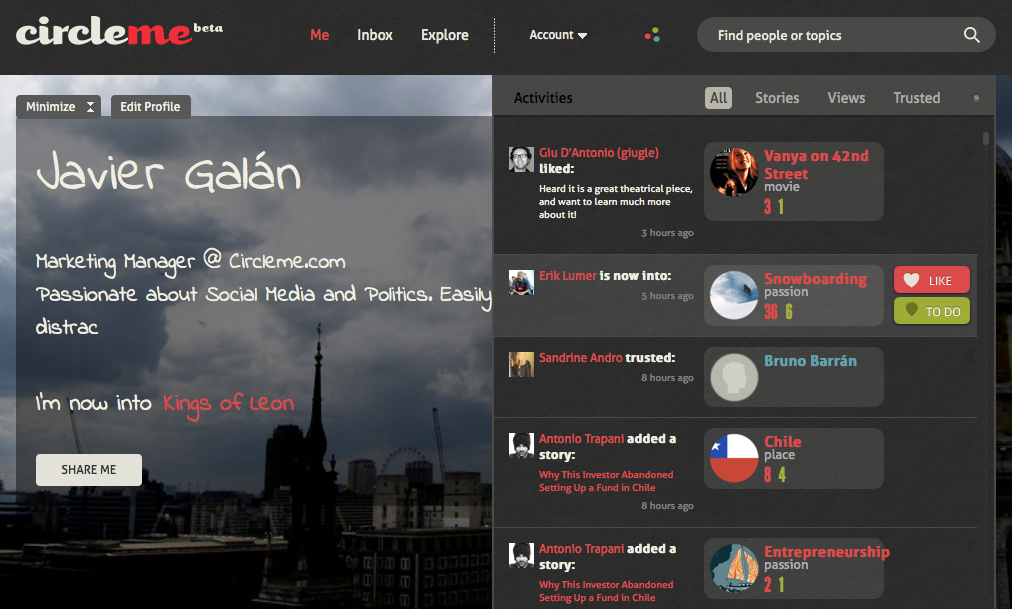
How to find the CircleMe Activity Board? You can always find it within the navigation bar and near the CircleMe search box as you can see below:

Once you click on the button represented as three circles, the CircleMe Activity Board will appear:As you can see, the Activity Board not only keeps you updated about the activities of your trusted friends and things that you care about, but also allows you to easily like or mark as to dos the items that appear in the board. In fact, the Activity Board even allows you to filter the type of information that appears: You can choose to only see Stories, Views or who your friends are Trusting.

We hope you enjoy this feature that Santa found on your Christmas wish lists and please do not forget to leave your feedback by commenting on this blog entry or getting in touch with us on Facebook or Twitter

So, how does CircleMe work?

Curious about how CircleMe works (and how it looks inside)? Well, now you can have a look at this short video, made especially for you. Here you can take a peak-view at all the features of our Private Beta, and also how our first Beta users can fully enjoy the time on the platform.

We know this video might not answer all of your questions, so feel free to ask us more about it. We are here to help!

Finally, as you will learn from us day after day, we’d love to know your impressions about this video or just CircleMe in general, so send us feedback!

Getting curious? Time to sign_up  if you have not done so already!

Our adventure starts!

Today we proudly launch our first post on our brand-new awesomeness-filled CircleMe blog!

Said it in a few words, this blog is about you, the CircleMe fan. It is about anything you enjoy in your life and everything you are passionate about.

First of all, thanks to this blog we would like you to enjoy CircleMe to the fullest. Moreover, we’d love to periodically highlight the things that you mostly appreciate, and also suggest you new likes that you can find in our extended world of passions and interests. Furthermore, you can expect frequent updates on the new features that you will find on the platform.

One more thing! We’d like to create this blog together. Hence, you’ll have the possibility to express yourself by posting your stories, any curiosity about your passions and any other stuff related to your likes. If there is anything that you’d like to see here, feel free to share it with us. You are what you Like, and we want to know you better.

In case you have not accessed CircleMe yet, feel free to request an invite here: http://www.circleme.com

Today we start the CircleMe experience. Have fun and… be what you like!