We deal with the dread of season gifts

Hi CircleMe’rs,

Have you been receiving the same Christmas Gifts for over a decade? Do you spend countless hours shopping for Christmas gifts yet you can’t find anything special for your friends? Here at CircleMe we think it’s time to put an end to it!

You might be thinking that it would be great if your friends were on CircleMe. That way, they could not only check your profile to find out your true likes, but you could also check theirs to find the perfect Christmas gift. After all, you probably would not add boring pajamas to your CircleMe profile, right?

(photo by jennandjon on Flickr)

But we know that it can be rather tough to get friends to join us on cool new sites, so we have thought of a quirky way to invite your friends and family to join you on CircleMe: A “Special” Christmas Card: With this “Special” Christmas card you can ask them to… well, not to give you the same old Christmas gift! You could also send them a card asking them to sign up on CircleMe so that they don’t receive the same old Christmas gift you dread making.
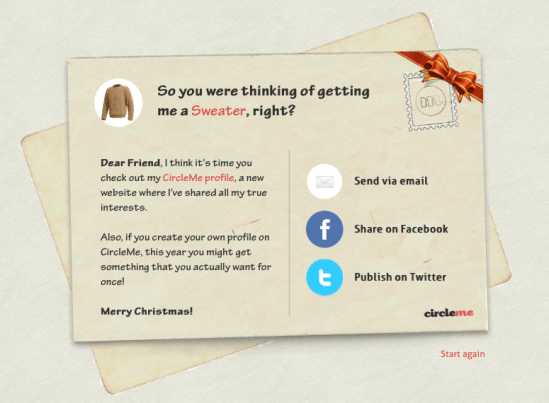
Do you still have doubts about how to use the CircleMe Christmas Postcard? Well, we made this video tutorial just for you, so that you can start using the new feature as soon as possible. Christmas is getting closer and we’re sure you want to get your favourite gifts, right? 😉

Want to put an end to dreadful Christmas gifts? Send your friends one of these “special” Christmas postcards now!

New Features: Redesigned Explore Page, User Previews

Hi CircleMe’rs!

New Tuesday, new CircleMe features! We are really excited to announce this week’s cool new features on CircleMe.com as these are features the CircleMe community has been asking for: the brand new Explore Page and the User Preview. What’s all this about?

Redesigned Explore Page

Looking for a new book, movie… or even places to visit? Well, as you might know, the Explore Page was a great way to start this new discovery. However, we have made some changes to make this discovery experience much better!

For starters, we have created a section for featured stories: Wondering what cool stories are being shared on CircleMe? Now you can find these! And you can filter these stories by categories too.

Also, we have added Trusted Likes: The most popular likes amongst the users you trust. Looking for a new book to read? You can now head over to the Trusted Likes section for books and find the books that most of trusted CircleMe users like

But that’s not it! We have also added Hyped Topics: the topics that are most discussed or explored on CircleMe lately

User Preview

Hasn’t it ever happened to you that that when navigating CircleMe and seeing another user’s avatar or name, you wanted to know how many things you had in common? So you had to visit their profile to find out, which took you some time, right?

We have now created User Previews so that when hovering on the user’s avatar or username, you will be able to see a preview of the user’s profile showing the total number of likes, to do’s and trusted users that you two have in common. You will also be able to see how many likes the user has as well as be able to trust the user directly from the preview.

We hope that you enjoy these new features and that these help you have a better CircleMe experience. CircleOn!

New Features: Circle it! button, Redesigned inbox and more!

Hi CircleMe’rs!

Here we are again with some brand new features on CircleMe! We have just launched the Circle it! button, enabled a feature to Edit Tags, made the Item Pages public, redesigned the Inbox and more!

The Circle it! button

Similar to browser add-ons and extensions, the Circle it! button is a bookmarklet that is added to your browser. The purpose of this button is to enhance your CircleMe experience by allowing you to quickly add likes, to dos or even add stories on CircleMe.

So, if you are browsing the web and you come across a like, to do or a story you would like to add on CircleMe, you won’t need to visit Circleme.com and then add the interest but instead, you will be able to add it directly from the page you are browsing.

Editing Tags

Until now, you might have seen that some items had the wrong tag but these couldn’t be changed. Frustrating, right? Well, now these tags can be edited! So now, you can not only add new tags but also remove wrong tags! You can see a screenshot of the new edit tags feature below:

Exploration by Tags

That is right! Now you can explore new items by clicking on the tags. So let’s say that you are a real fan of a certain actor, and you also really liked one of his films which you want to add to your CircleMe profile. There is just a problem: You don’t remember the name of the film! Well, now you can click on his tag to explore all the movies where he stars as you can see below:

Public Item Pages

You might have noticed that only registered users could see item pages and that if you shared a cool item page with your friends, they would need to register in order to see it. We have now made these pages public! So now you can share these pages with your friends and they won’t need to be registered in order to visit them as you can see below:

So heard a music sample from your favourite artist? Seen some interesting photos in the item page?  Or came across some hilarious comments you would like your friends to enjoy? Now you can share it with them!

Redesigned Inbox

We heard your feedback regarding our inbox: it could get a bit (too) messy, so we put our brains to work and came up with a redesigned inbox that organizes your messages into: all, suggestions, messages and notifications! You can find a screenshot of the new inbox below:


But that is not it! We have made some optimizations to our search functionality so that you find more relevant results when you search on CircleMe.

We hope these changes make your experience using CircleMe much better, and we are looking forward to reading your feedback! Also, do not hesitate to share any ideas you might have to improve CircleMe! You can share them commenting on this blog post, on our feedback site  or on Facebook  or Twitter .

New Stories Bar

CircleMe’rs!
We surely know you enjoy discovering your friend’s likes and passions, and along with that also reading more about specific items on the Stories section.  For this reason, starting from today, you’ll notice a navigation-bar every time you visit a page related to our featured stories. This bar allows you not only to see who posted the story (and when) but also to easily share the story on Facebook and Twitter, or even rank the story by voting it up or down.
Furthermore, you can simply scroll through the other stories related to the item by using the left&right arrows in the bar so you don’t need to return to the main page
Enjoy this new feature and CircleOn!

Read, Watch, Listen & Discuss on CircleMe!

Happy Tuesday for all CircleMe’rs!

We have some great news to share with you: based on your feedback, we come out today with some significant enhancements: the Media & GoodReads  integrations, as well as the implementation of a new Action Bar and Conversation Notifications.

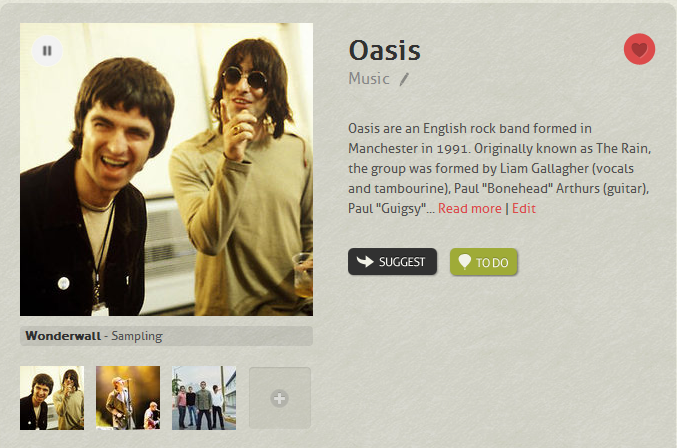
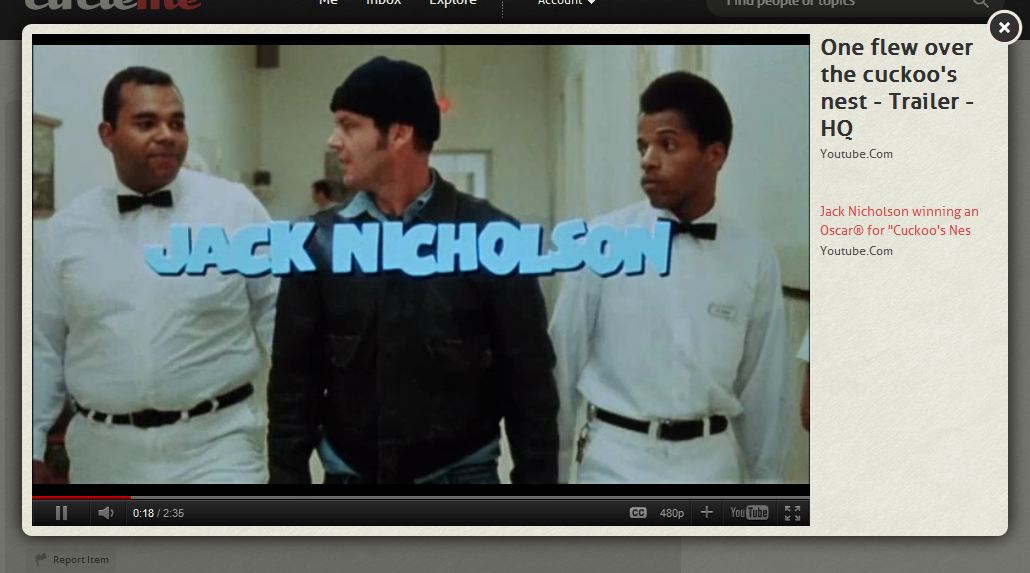
First, The Media Integration. Yes, starting from today you can easily listen to music samples and watch embedded videos directly on CircleMe! It’s now easier to learn about new bands and new music that you discover on CircleMe: you can listen to samples of artists taken from different albums, courtesy of itunes, and watch one of their most popular You Tube music videos directly on their dedicated item page.

You’re browsing through your trusted movie libraries for ideas on the next movie to match? Now you can also preview a trailer for each movie before adding it to your To Do or Likes lists.

Next, Goodreads Integration! We know you have many authors and books that you’d like to easily feature on your CircleMe profile. If you are a Goodreads user, you can now express more quickly your book likes by importing those from your GoodReads shelves.

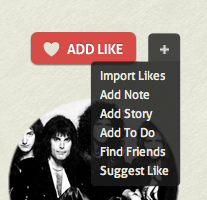
We also tried to make everything easier for you with the new Action Bar, that incorporates in one place all the important actions you can perform on CircleMe: “Add like” “Add note”, “Add story”, “Add ToDo” , “Find Friends” and “Suggest a like”. Easy as that!

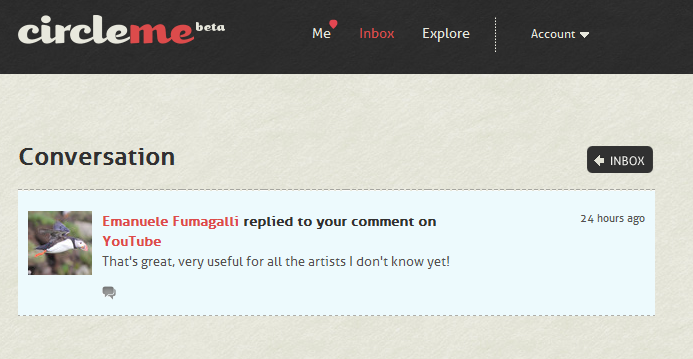
Moreover, you may have noticed that  we have worked on features to foster conversations between CircleMe’rs on their topics of interest. Now we’ll let you know when somebody replies to your notes, as a personal message delivered straight to your Inbox and via e-mail (you can control this option in your settings). It’s a good way to track and engage into conversations on any of your passions with like-minded people.

Last but not least, we have made some significant optimizations to speed up the viewing of profiles and will add more of those in coming days to deliver a faster and better browsing experience.

Be What you Like and Enjoy your CircleMe experience, more delightful from today!

3 New Features for a Fine Friday!

If you are a CircleMe’er, probably you’ve already received the first CircleMe newsletter this week and you read the cool and important news from us.

Now, as the weekend approaches, we want to give you some more good news. Today we introduce you to three new features on CircleMe.com, so you can enjoy the weekend some more: Pagination in Explore, Enriched Conversations and Social Profile Sharing.

What does all this mean?

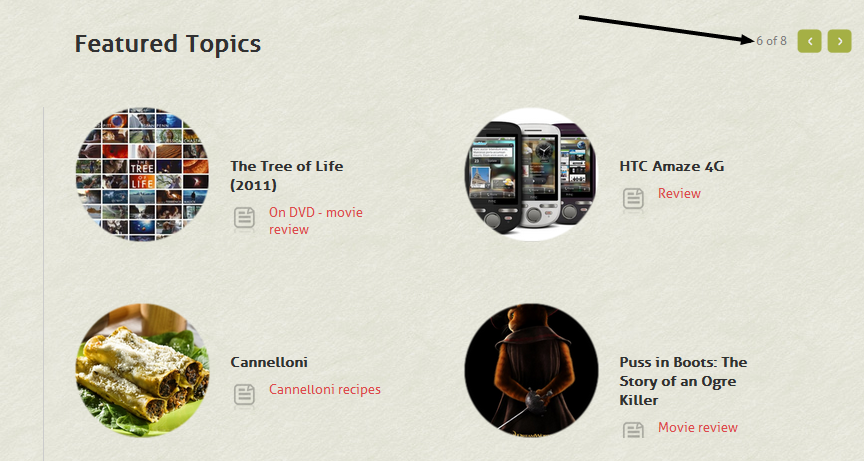
Well, firstly the new Pagination feature in Explore allows you to discover more items in the Explore section of the site. On the top-right corner of the specific explore section the user will find arrows so that she/he can browse through  numerous items, to discover new things to like and share.

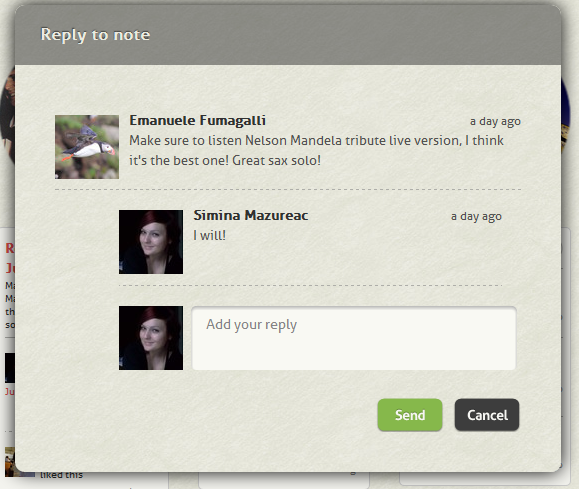
Secondly, we have worked on features to foster conversations between CircleMe’rs on a specific item. Since you’ve asked for it, you got it! Now you can reply to any comment you find on any passion-item you decide to explore. Just mouse-over the specific comment, and a “reply” function will get visible, so that you can contextualize any further comment you make about a specific item.

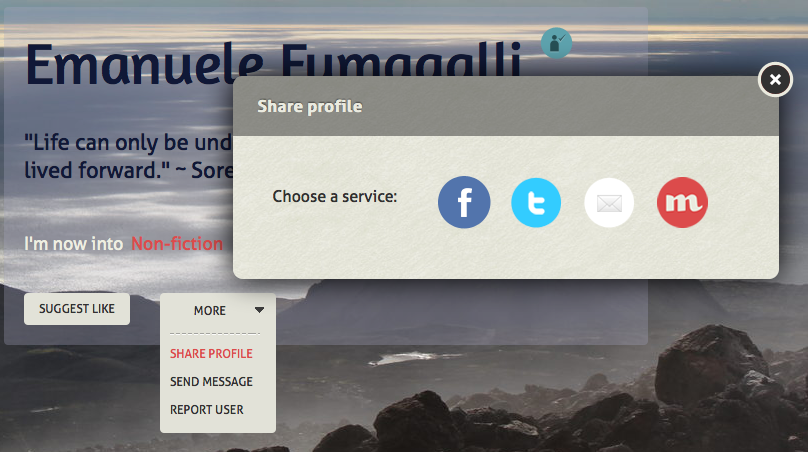
Finally, we have literally boosted the features related to Profile Sharing. Now, along with the already existing functionality to share profiles within the CircleMe’ers user base, you can share a profile on other social media, including Facebook and Twitter, with a simple click. Not only you can post on Facebook or tweet on Twitter, but you can also use the Gmail button to send to any of your lovely e-mail contacts.

Well… that’s all for this fine Friday folks. Time to CircleOn!

Share your CircleMe profile with the world!

While you’re voting for the second contest on the Official CircleMe Profile Chart, we have a great feature that came out today : your CircleMe profile is finally public!

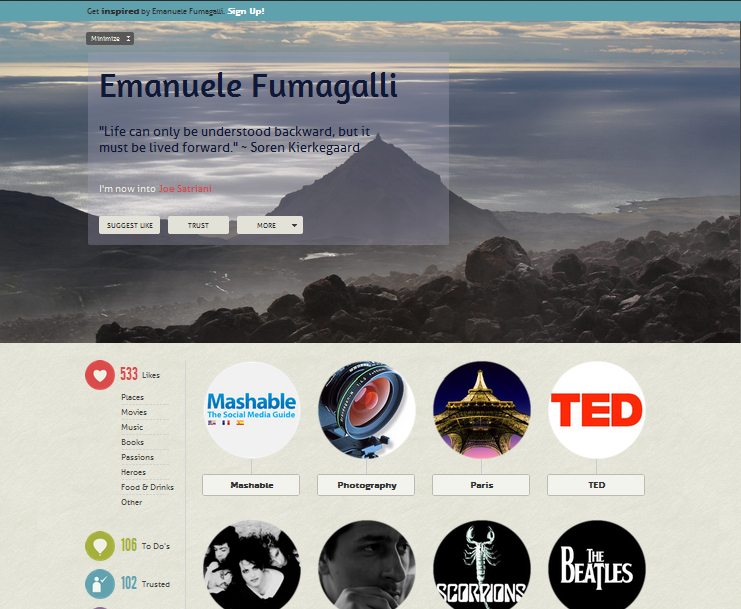
This means that from now on you can share with all your friends your interesting CircleMe profile, so everyone can see some of your likes and your passions, in your way.Cool, right?

Here’s a sneak peek view of how your profile looks for others.

Of course we won’t share all of your information. That’s why , if someone wants to know you better, he/she must “enter” inside CircleMe. You can easily use your profile as a presentation “card”, adding the link to your other social media accounts.

Inspire and get inspired on CircleMe!

Launching “StoryPage” and the slick “Invite Your Friends” tool!

BLOG 1:  Launching “StoryPage” and the slick “Invite Your Friends” tool!

Hey CircleMe’ers,

As the weekend approaches, we come with some other new features to present to you, so you can enjoy CircleMe during your weekend and beyond 😉

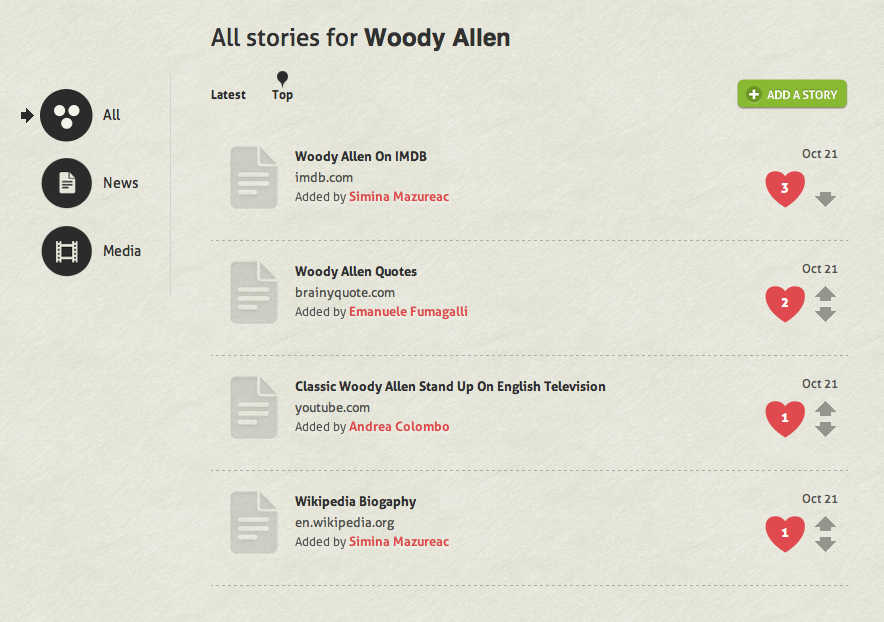
You asked for plenty of more stories related to a specific item?  Here we have them! From today you can see all of them in our brand-new StoryPage . Here, exploring the stories, you can also rate them and express your preferences of the most reliable and pertinent story for an item. Furthermore, you can even sort them by rating or by the date they were added on.

And we have more surprises! You have no reasons to feel “lonely” on CircleMe anymore, because starting from today you can invite your Facebook and GMail friends with a new inserted Invite Your Friends tool 😉 Share your CircleMe experience with others and let them know you’re here, with only one simple click!

Wishing you a perfect weekend, CircleOn!

Boosting “To Do’s” and Gmail integration!

CircleMe’rs!
          Wow – great to have already so many of you on the platform, having fun and enjoying your likes. The buzz on us on the web has been great and we’re grateful to all of you for spreading the word! Since we promised to keep you updated with all the new stuff on CircleMe, a couple of super-fresh news for you.
          First, we just added a cool new feature related to our “to do’s”. From today, every time you decide to create a new activity for an item, a helper function will show you a list of other existing “to do’s” related to that item, so that you can decide to join one of them instead of creating a brand new (and lonely) “to do”. Cool, right?
          Now, this is a feature for the many of you who have already started playing with the “to do” function. If you have not tried the overall functionality yet, give it a shot: basically “to do’s” are a way to mark down (in an organized fashion) all the activities you want to do related to a specific item (perhaps a suggestion to read a book or watch a movie, which you received from a friend of yours). The “to do” function is feature-rich, and if you desire you can even receive reminders based on the deadline you decide, so that you won’t forget to accomplish everything you propose to.
          Secondly, from today finding friends and contacts within CircleMe gets even easier. Yes, we heard you, and after Facebook Connect, we have now also integrated Gmail on our platform. Oh yeah, baby! Now, with a simple click, you can also check who are all your Gmail contacts that have already an account on CircleMe. What are you waiting for? Go people-searching now!
          Alright, that’s all for today. Now, don’t forget that every opinion really matters to us: thanks to your continued support, we hope to make CircleMe always a better experience for you. CircleOn!

CircleMe: from Private to Viral beta!

In concomitance with our participaton at StartUp Week  2011 in Vienna, we are very excited to launch CircleMe in Viral beta, event that will allow anyone to sign-up to our system as long as they have a Facebook friend already inside CircleMe or if they can get someone to invite them from “inside”. Come on, let’s make it fun!

Also, note that in the last days we have also released a lot of little changes to CircleMe, to improve the user-experience and the existing features.

A few things you will find different from today: firstly, we have greatly improved the experience as soon as you sign-up into the system, with a very easy to understand QuickStart page; secondly, we implemented  Categories  for the To-Do’s so that you can manage better all your future activities in the pipeline; and finally we have introduced the Instant Updates (a better way to get notifications starting from the MePage).

We heard you (through the feedback, the surveys, the tweets, etc.) and we made these changes. Hope you’ll enjoy every little improvement!
Thank You.. and since sign-ups are ramping up quickly, a warm welcome to all new CircleMe’ers!