You say “New Year”, we say “New Features!”

Happy belated new year!

At CircleMe we like traditions, and no, we aren’t going to talk about Christmas again but what has already become a CircleMe tradition: The Tuesday release of new features! We don’t plan on stopping coming up with cool stuff, so are you ready to try these?

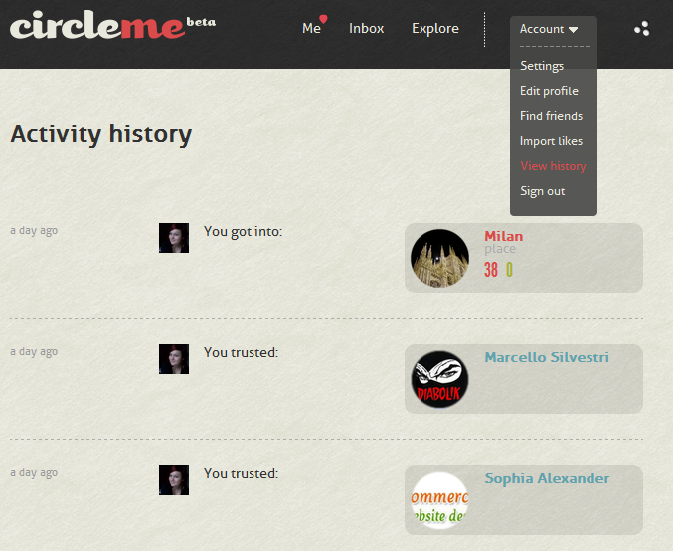
Activity History

Starting from today you can enjoy your own activity history: Wouldn’t it be cool if you were able to track your activity on CircleMe? Yes, we mean every single activity including adding a like or to dosharing or voting a story, trusting someone… Everything summarised on one page! You can find this new feature clicking on the Account Button on the CircleMe Navigation Bar as seen in the screenshot below:
Adding your website to your profile

We knew adding a website to the user profile was a common request amongst our users. This is why when we received this request five days ago from a user to add it, we couldn’t contain a smile of satisfaction knowing we would be delivering it straight away 🙂 That’s right, you can now add your personal website or any link you would like on your profile. Your blog? Your Twitter account? It’s up to you!

We hope you enjoy these new features and we would like to remind you that most of these improvements were implemented thanks to you: you inspired us and suggested us many ideas that helped make CircleMe better. This is why we can’t stress enough the importance of your feedback so if you have any suggestions or feedback, please share your feedback with us on GetSatisfaction, getting in touch with us via Twitter or Facebook or even directly via support@circleme.com.

CircleOn!

Santa brought an Activity Board to CircleMe

Hi CircleMe’rs!

We hope you enjoyed a very merry Christmas! Here at CircleMe we had a great time and we even received a new CircleMe feature from Santa that we are very excited to share with you all: The CircleMe Activity Board.

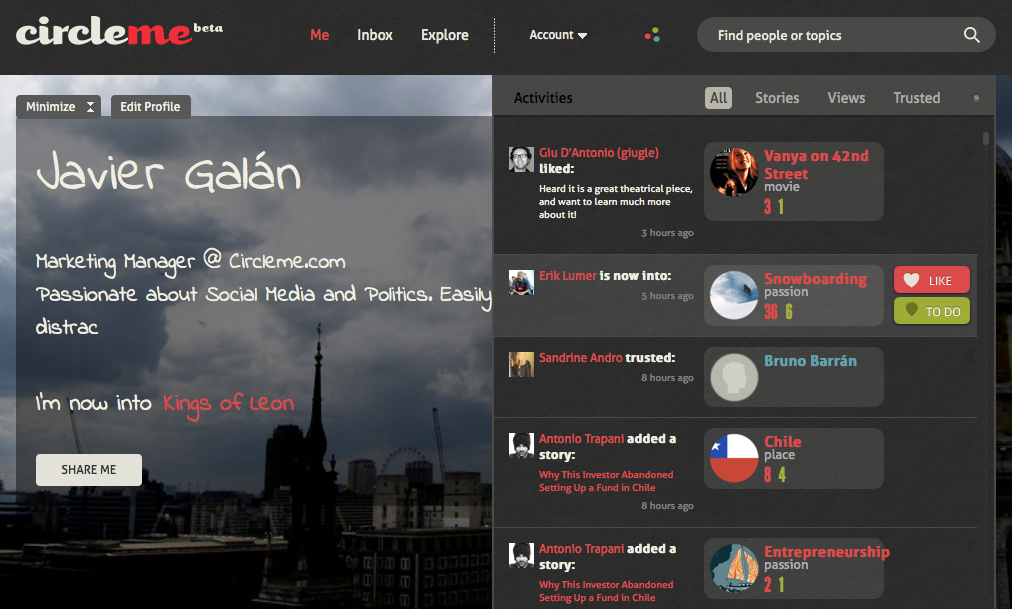
Why an Activity Board? Until now, on Circleme there wasn’t a place where you could find all of your friends’ activities: what your friends are liking, the stories they are sharing on CircleMe…  Furthermore, it wasn’t easy to track all the activities about the things that you care about. That wasn’t great, right? We thought so and that is why we developed asked Santa for an Activity Board.

How to find the CircleMe Activity Board? You can always find it within the navigation bar and near the CircleMe search box as you can see below:

Once you click on the button represented as three circles, the CircleMe Activity Board will appear:As you can see, the Activity Board not only keeps you updated about the activities of your trusted friends and things that you care about, but also allows you to easily like or mark as to dos the items that appear in the board. In fact, the Activity Board even allows you to filter the type of information that appears: You can choose to only see Stories, Views or who your friends are Trusting.

We hope you enjoy this feature that Santa found on your Christmas wish lists and please do not forget to leave your feedback by commenting on this blog entry or getting in touch with us on Facebook or Twitter

We deal with the dread of season gifts

Hi CircleMe’rs,

Have you been receiving the same Christmas Gifts for over a decade? Do you spend countless hours shopping for Christmas gifts yet you can’t find anything special for your friends? Here at CircleMe we think it’s time to put an end to it!

You might be thinking that it would be great if your friends were on CircleMe. That way, they could not only check your profile to find out your true likes, but you could also check theirs to find the perfect Christmas gift. After all, you probably would not add boring pajamas to your CircleMe profile, right?

(photo by jennandjon on Flickr)

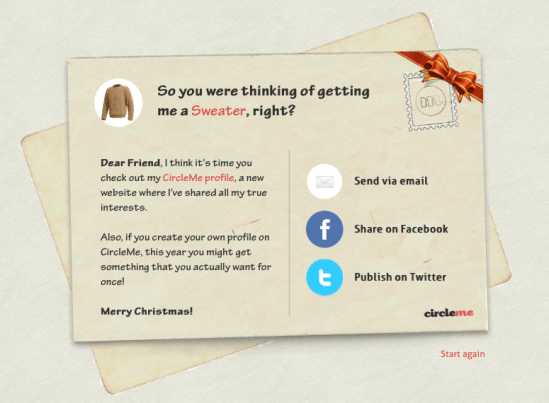
But we know that it can be rather tough to get friends to join us on cool new sites, so we have thought of a quirky way to invite your friends and family to join you on CircleMe: A “Special” Christmas Card: With this “Special” Christmas card you can ask them to… well, not to give you the same old Christmas gift! You could also send them a card asking them to sign up on CircleMe so that they don’t receive the same old Christmas gift you dread making.

Do you still have doubts about how to use the CircleMe Christmas Postcard? Well, we made this video tutorial just for you, so that you can start using the new feature as soon as possible. Christmas is getting closer and we’re sure you want to get your favourite gifts, right? 😉

Want to put an end to dreadful Christmas gifts? Send your friends one of these “special” Christmas postcards now!

New Features: Redesigned Explore Page, User Previews

Hi CircleMe’rs!

New Tuesday, new CircleMe features! We are really excited to announce this week’s cool new features on CircleMe.com as these are features the CircleMe community has been asking for: the brand new Explore Page and the User Preview. What’s all this about?

Redesigned Explore Page

Looking for a new book, movie… or even places to visit? Well, as you might know, the Explore Page was a great way to start this new discovery. However, we have made some changes to make this discovery experience much better!

For starters, we have created a section for featured stories: Wondering what cool stories are being shared on CircleMe? Now you can find these! And you can filter these stories by categories too.

Also, we have added Trusted Likes: The most popular likes amongst the users you trust. Looking for a new book to read? You can now head over to the Trusted Likes section for books and find the books that most of trusted CircleMe users like

But that’s not it! We have also added Hyped Topics: the topics that are most discussed or explored on CircleMe lately

User Preview

Hasn’t it ever happened to you that that when navigating CircleMe and seeing another user’s avatar or name, you wanted to know how many things you had in common? So you had to visit their profile to find out, which took you some time, right?

We have now created User Previews so that when hovering on the user’s avatar or username, you will be able to see a preview of the user’s profile showing the total number of likes, to do’s and trusted users that you two have in common. You will also be able to see how many likes the user has as well as be able to trust the user directly from the preview.

We hope that you enjoy these new features and that these help you have a better CircleMe experience. CircleOn!

New Features: Circle it! button, Redesigned inbox and more!

Hi CircleMe’rs!

Here we are again with some brand new features on CircleMe! We have just launched the Circle it! button, enabled a feature to Edit Tags, made the Item Pages public, redesigned the Inbox and more!

The Circle it! button

Similar to browser add-ons and extensions, the Circle it! button is a bookmarklet that is added to your browser. The purpose of this button is to enhance your CircleMe experience by allowing you to quickly add likes, to dos or even add stories on CircleMe.

So, if you are browsing the web and you come across a like, to do or a story you would like to add on CircleMe, you won’t need to visit Circleme.com and then add the interest but instead, you will be able to add it directly from the page you are browsing.

Editing Tags

Until now, you might have seen that some items had the wrong tag but these couldn’t be changed. Frustrating, right? Well, now these tags can be edited! So now, you can not only add new tags but also remove wrong tags! You can see a screenshot of the new edit tags feature below:

Exploration by Tags

That is right! Now you can explore new items by clicking on the tags. So let’s say that you are a real fan of a certain actor, and you also really liked one of his films which you want to add to your CircleMe profile. There is just a problem: You don’t remember the name of the film! Well, now you can click on his tag to explore all the movies where he stars as you can see below:

Public Item Pages

You might have noticed that only registered users could see item pages and that if you shared a cool item page with your friends, they would need to register in order to see it. We have now made these pages public! So now you can share these pages with your friends and they won’t need to be registered in order to visit them as you can see below:

So heard a music sample from your favourite artist? Seen some interesting photos in the item page?  Or came across some hilarious comments you would like your friends to enjoy? Now you can share it with them!

Redesigned Inbox

We heard your feedback regarding our inbox: it could get a bit (too) messy, so we put our brains to work and came up with a redesigned inbox that organizes your messages into: all, suggestions, messages and notifications! You can find a screenshot of the new inbox below:


But that is not it! We have made some optimizations to our search functionality so that you find more relevant results when you search on CircleMe.

We hope these changes make your experience using CircleMe much better, and we are looking forward to reading your feedback! Also, do not hesitate to share any ideas you might have to improve CircleMe! You can share them commenting on this blog post, on our feedback site  or on Facebook  or Twitter .

New Stories Bar

CircleMe’rs!
We surely know you enjoy discovering your friend’s likes and passions, and along with that also reading more about specific items on the Stories section.  For this reason, starting from today, you’ll notice a navigation-bar every time you visit a page related to our featured stories. This bar allows you not only to see who posted the story (and when) but also to easily share the story on Facebook and Twitter, or even rank the story by voting it up or down.
Furthermore, you can simply scroll through the other stories related to the item by using the left&right arrows in the bar so you don’t need to return to the main page
Enjoy this new feature and CircleOn!

Half of the competition: Official CircleMe Profile Chart, 5th week

Here we are, at the half of our competition!

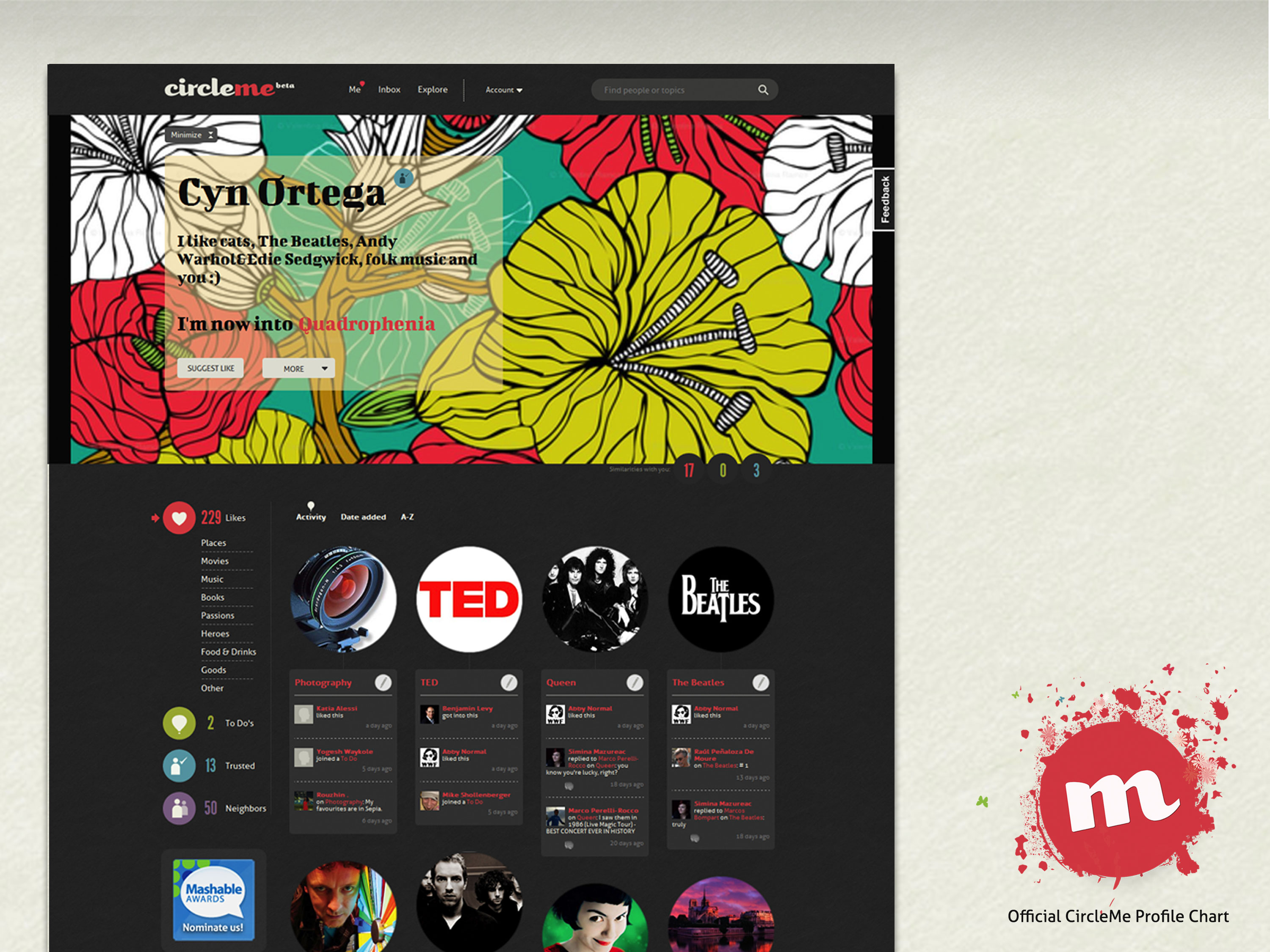
We’re proud with the awesome CircleMe’rs that “took” our prizes until now: Duduman Bogdan Vlad , Pablo Caldeira , Dari Oh , and Carlo Luchessa . Now you can have a look at the new profiles , from this week contest. Decide the best and vote for the most interesting one !

Gordon Scobie

Adrein Pina

Cyn Ortega

Jeff SanGeorge

Agung Sukariman 

Very good luck, may the best win!