You say “New Year”, we say “New Features!”

Happy belated new year!

At CircleMe we like traditions, and no, we aren’t going to talk about Christmas again but what has already become a CircleMe tradition: The Tuesday release of new features! We don’t plan on stopping coming up with cool stuff, so are you ready to try these?

Activity History

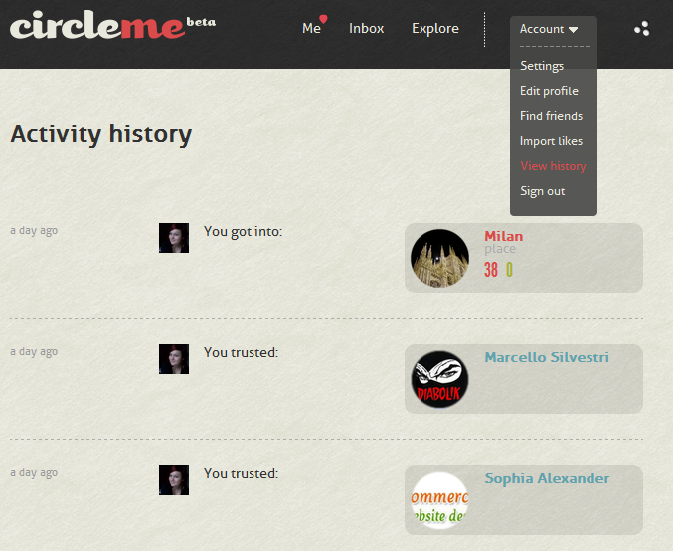
Starting from today you can enjoy your own activity history: Wouldn’t it be cool if you were able to track your activity on CircleMe? Yes, we mean every single activity including adding a like or to dosharing or voting a story, trusting someone… Everything summarised on one page! You can find this new feature clicking on the Account Button on the CircleMe Navigation Bar as seen in the screenshot below:
Adding your website to your profile

We knew adding a website to the user profile was a common request amongst our users. This is why when we received this request five days ago from a user to add it, we couldn’t contain a smile of satisfaction knowing we would be delivering it straight away 🙂 That’s right, you can now add your personal website or any link you would like on your profile. Your blog? Your Twitter account? It’s up to you!

We hope you enjoy these new features and we would like to remind you that most of these improvements were implemented thanks to you: you inspired us and suggested us many ideas that helped make CircleMe better. This is why we can’t stress enough the importance of your feedback so if you have any suggestions or feedback, please share your feedback with us on GetSatisfaction, getting in touch with us via Twitter or Facebook or even directly via support@circleme.com.

CircleOn!

Santa brought an Activity Board to CircleMe

Hi CircleMe’rs!

We hope you enjoyed a very merry Christmas! Here at CircleMe we had a great time and we even received a new CircleMe feature from Santa that we are very excited to share with you all: The CircleMe Activity Board.

Why an Activity Board? Until now, on Circleme there wasn’t a place where you could find all of your friends’ activities: what your friends are liking, the stories they are sharing on CircleMe…  Furthermore, it wasn’t easy to track all the activities about the things that you care about. That wasn’t great, right? We thought so and that is why we developed asked Santa for an Activity Board.

How to find the CircleMe Activity Board? You can always find it within the navigation bar and near the CircleMe search box as you can see below:

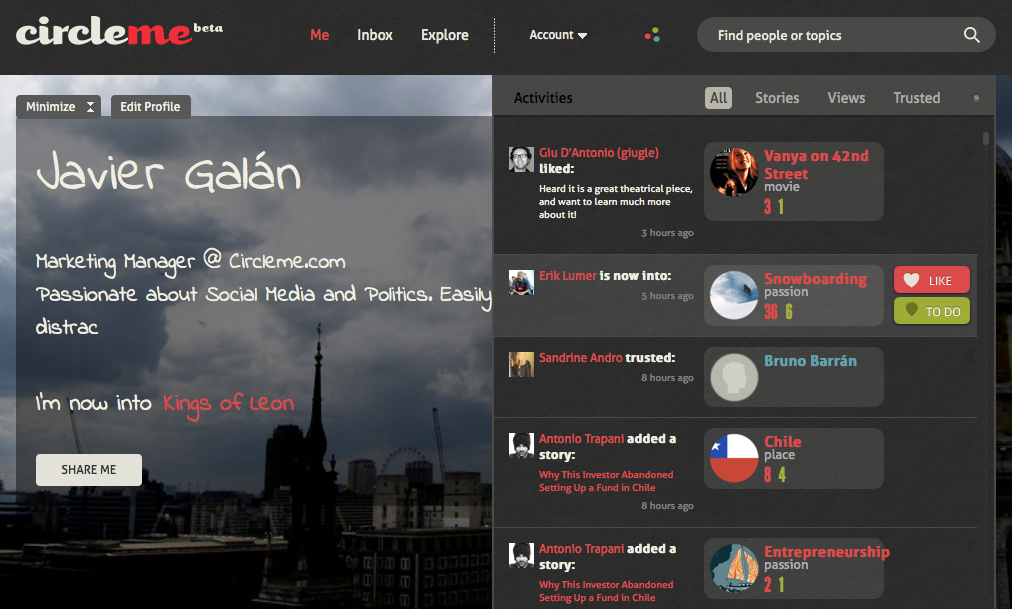
Once you click on the button represented as three circles, the CircleMe Activity Board will appear:As you can see, the Activity Board not only keeps you updated about the activities of your trusted friends and things that you care about, but also allows you to easily like or mark as to dos the items that appear in the board. In fact, the Activity Board even allows you to filter the type of information that appears: You can choose to only see Stories, Views or who your friends are Trusting.

We hope you enjoy this feature that Santa found on your Christmas wish lists and please do not forget to leave your feedback by commenting on this blog entry or getting in touch with us on Facebook or Twitter

We deal with the dread of season gifts

Hi CircleMe’rs,

Have you been receiving the same Christmas Gifts for over a decade? Do you spend countless hours shopping for Christmas gifts yet you can’t find anything special for your friends? Here at CircleMe we think it’s time to put an end to it!

You might be thinking that it would be great if your friends were on CircleMe. That way, they could not only check your profile to find out your true likes, but you could also check theirs to find the perfect Christmas gift. After all, you probably would not add boring pajamas to your CircleMe profile, right?

(photo by jennandjon on Flickr)

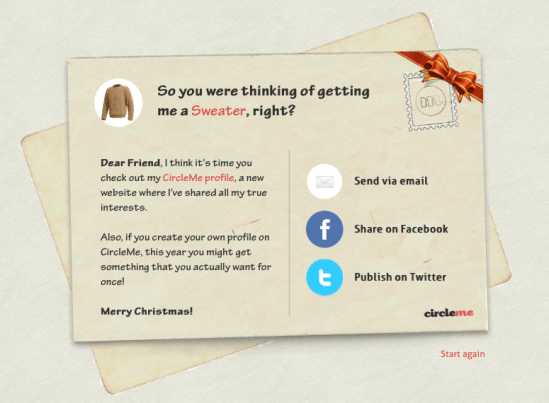
But we know that it can be rather tough to get friends to join us on cool new sites, so we have thought of a quirky way to invite your friends and family to join you on CircleMe: A “Special” Christmas Card: With this “Special” Christmas card you can ask them to… well, not to give you the same old Christmas gift! You could also send them a card asking them to sign up on CircleMe so that they don’t receive the same old Christmas gift you dread making.

Do you still have doubts about how to use the CircleMe Christmas Postcard? Well, we made this video tutorial just for you, so that you can start using the new feature as soon as possible. Christmas is getting closer and we’re sure you want to get your favourite gifts, right? 😉

Want to put an end to dreadful Christmas gifts? Send your friends one of these “special” Christmas postcards now!

New Features: Redesigned Explore Page, User Previews

Hi CircleMe’rs!

New Tuesday, new CircleMe features! We are really excited to announce this week’s cool new features on CircleMe.com as these are features the CircleMe community has been asking for: the brand new Explore Page and the User Preview. What’s all this about?

Redesigned Explore Page

Looking for a new book, movie… or even places to visit? Well, as you might know, the Explore Page was a great way to start this new discovery. However, we have made some changes to make this discovery experience much better!

For starters, we have created a section for featured stories: Wondering what cool stories are being shared on CircleMe? Now you can find these! And you can filter these stories by categories too.

Also, we have added Trusted Likes: The most popular likes amongst the users you trust. Looking for a new book to read? You can now head over to the Trusted Likes section for books and find the books that most of trusted CircleMe users like

But that’s not it! We have also added Hyped Topics: the topics that are most discussed or explored on CircleMe lately

User Preview

Hasn’t it ever happened to you that that when navigating CircleMe and seeing another user’s avatar or name, you wanted to know how many things you had in common? So you had to visit their profile to find out, which took you some time, right?

We have now created User Previews so that when hovering on the user’s avatar or username, you will be able to see a preview of the user’s profile showing the total number of likes, to do’s and trusted users that you two have in common. You will also be able to see how many likes the user has as well as be able to trust the user directly from the preview.

We hope that you enjoy these new features and that these help you have a better CircleMe experience. CircleOn!

CircleMe is ready to jump in the arena!

Today we are very excited to have been selected to participate in the Startup Challenge in Vienna, from October 3rd to October 7th.The Startup Challenge is part of the StartupWeek2011, an event which gathers over 100 investors, 70 speakers and 50 selected European start-ups that want to conquer the world, like us.

It is a great oppportunity for CircleMe, and we are very honored to be part of this competition finalists.

The CircleMe’s top management will demo the platform during the competition and will concurrently launch a beta version of CircleMe, accessible to all by invitation. Stay tuned!

If you are around, come to meet us. Would be great to meet personally some of CirclemMe’s early-adopters.

Want to know more about the event? Have a look here .

We are what we like, and we will make sure to show this at Startup Week 2011!